Graduate School
Thesis / Dissertation / Project Document Approval Form
The Document Approval form should be submitted by a student’s committee chair in SOAR after a student has completed ALL content revisions required by the committee. No content revisions should be made to the document after the document approval form has been submitted. Once submitted via SOAR by the chair, the document approval form will be routed to the program coordinator for approval, and finally to the Documents Specialist. Once approved by the Documents Specialist, a notification email will be sent to the chair who submitted the form, the program coordinator, and the student that the form has been approved.
- The Committee chair initiates the Document Approval form in SOAR.
SOAR Navigation: From the Faculty Center Home Page click the GRADUATE SCHOOL FORMS tile and select DOCUMENT APPROVAL FORM.
*NOTE: Make sure to select “Document Approval Form” and not “Proposal Approval”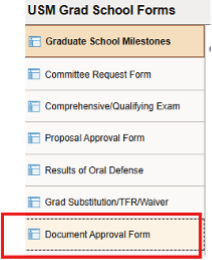
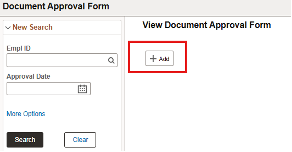
- Click ADD.
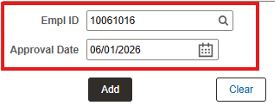
- Enter the Student ID# and the DATE of the Document Approval Form, then Select Add.
- The student’s degree information will automatically populate.
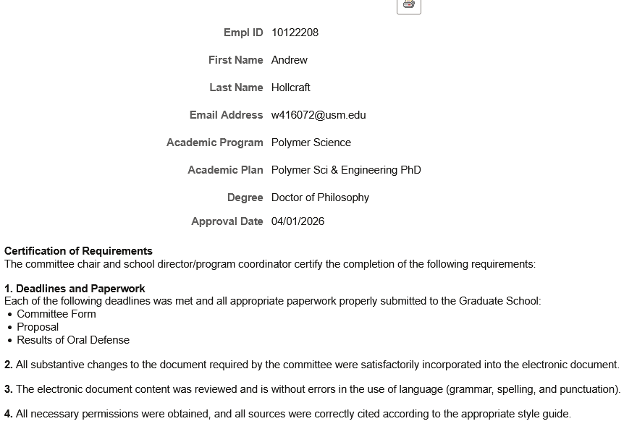
- Enter the Similarity score into the box labeled “Originality Score Percentage.”
If the score is above 25%, enter the reason into the comment box.
If the score is below 25%, enter N/A into the comment box.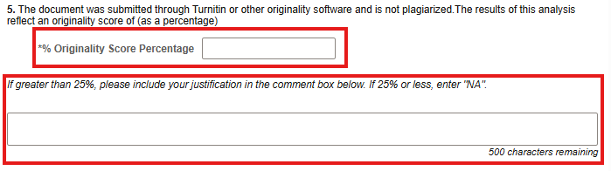
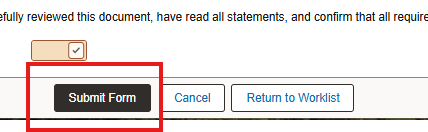
- At the bottom of the Approval form, it states “By clicking the box below, I acknowledge
that I have carefully reviewed this document, have read all statements, and confirm
that all requirements have been met. The document is acceptable for publication in
Aquila.”
Select the check box after this statement.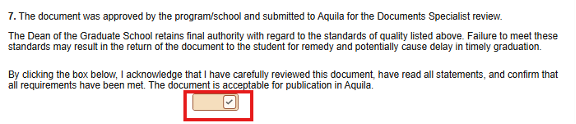
- Select “Submit Form.”