
Thesis, Dissertation, or Doctoral Project Proposal Instructions
The Thesis, Dissertation, or Doctoral Project Proposal Form should be entered and approved through SOAR. Once the workflow process has been initiated, the form will be approved by the Program Coordinator (or designee) or School Director (or designee). If this form is submitted in error, please contact Tracy Barnhill (tracy.barnhillFREEMississippi) for assistance.
To initiate a Proposal Form, click on the "Add" button.

Type in the student's Empl ID and click the green "Add" button

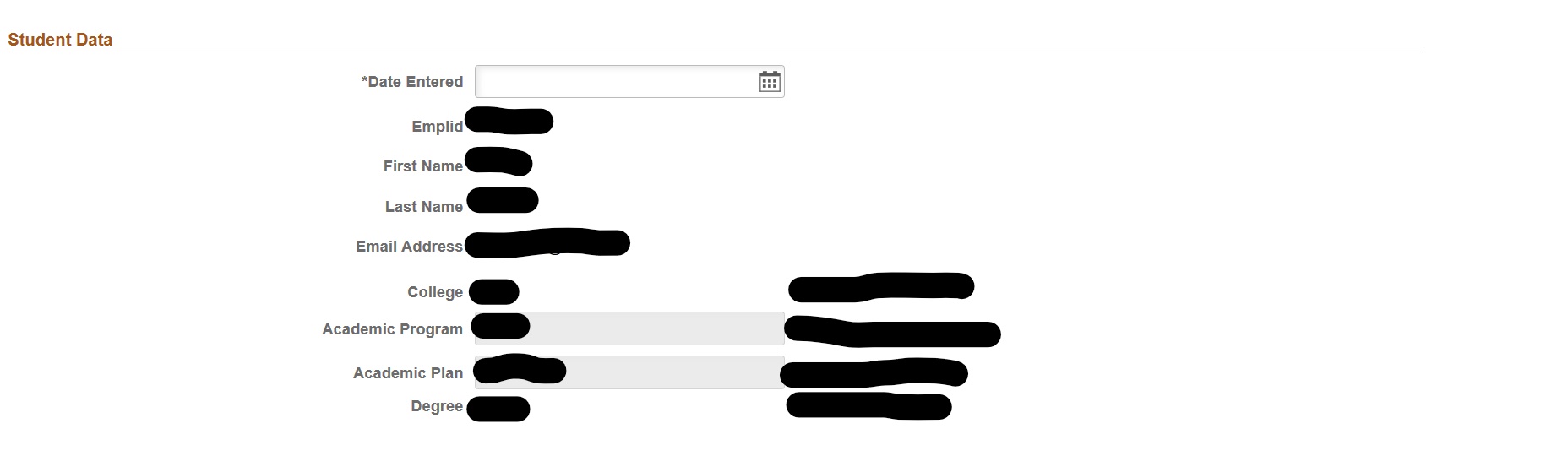
Enter the date of the proposal in the required field "Date Entered." The student's Emplid, First Name, Last Name, Email Address, College, Academic Program, Academic Plan, and Degree will auto populate. If this information is incorrect, DO NOT submit the form. This is the information listed in SOAR, so please check with your degree auditor before proceeding.
This next section requires you to answer two questions involving animal or human subjects. Please select "Yes" or "No" from the dropdown boxes. Not selecting these will prevent you from submitting your form.

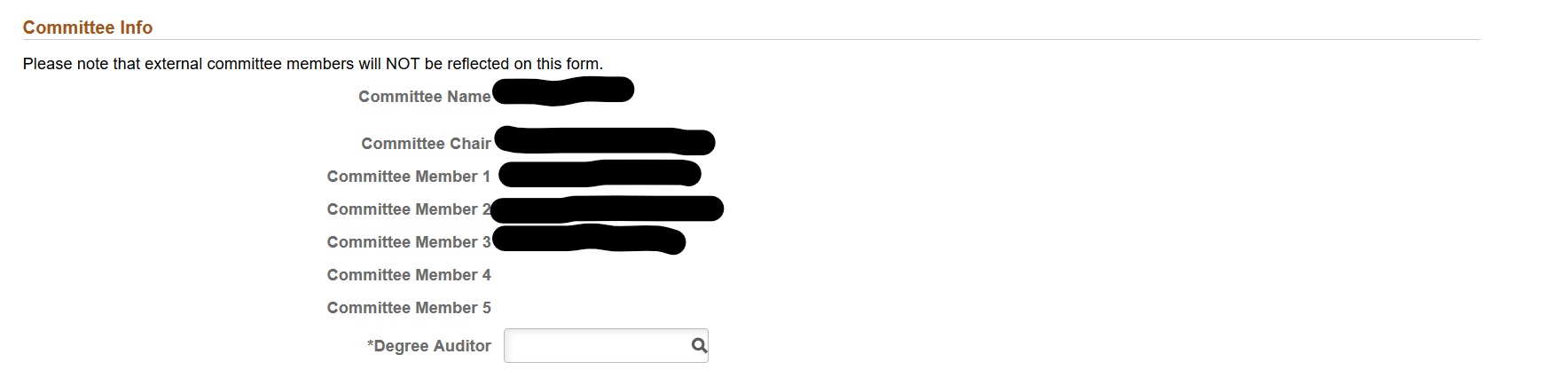
The Committee Info section will also auto populate IF the student has a committee form on file. If this information is incorrect or is blank, DO NOT submit the form. Please contact your degree auditor to verify a committee form has been submitted for the student.
Select the degree auditor by clicking on the magnifying glass and selecting the appropriate degree auditor. Once all information has been confirmed as correct, click the green "Submit Form" button.
Once the form has been submitted, a pop-up box will appear; select "OK."
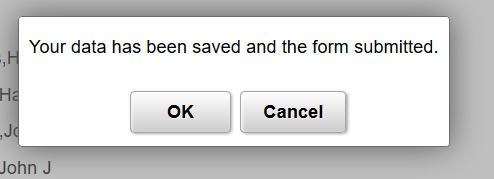
This will submit the form and send it to the program coordinator OR school director (depending on the program's approval process) for approval. The person submitting the form will receive an email notification alerting them the form has been submitted. If the person is listed as an approver, he/she will not receive this notification. He/she will need to navigate directly to their worklist to approve the form.
The approval process will work the same as the Comprehensive Exam form. Making any changes to the designated approver will result in approval changes for all graduate school forms.
Approving Proposal Forms
Navigate to your worklist in SOAR:
Click on the link to open the form. Under the Approvals section of the form (near the bottom of the page), you should see your name (if you are the approver) and an "Approve/Deny" dropdown box. Select "Approve" or "Deny." If you select "Approve," then click on the green "Approve" button. If you select "Deny," click on the green "Deny" button.
