iTech
How To Set Up A Qualtrics Account
Page Content
If you are a student, faculty, or staff with the College of Education and Human Sciences, go to https://usmep.co1.qualtrics.com/login. All others should proceed as shown below.
Division Administrators assigned for each College are listed at the end of this page. They are your first point of contact should you have any questions.
- Go to https://usmuw.co1.qualtrics.com/login.
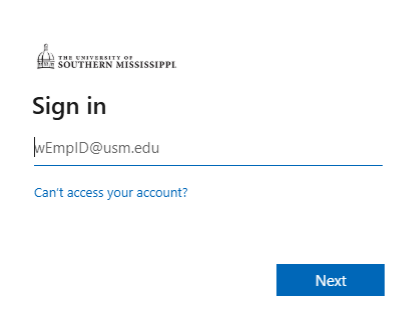
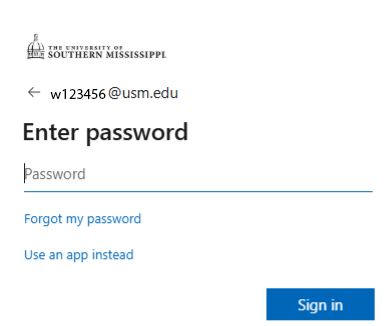
- Enter your USM SOAR Login (w + ID@usm.edu) and password.
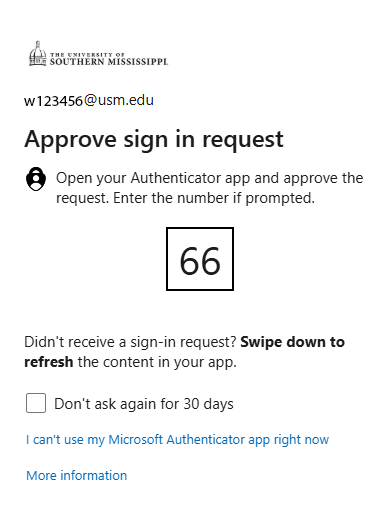
Now, approve your sign-in request via you Authenticator app.
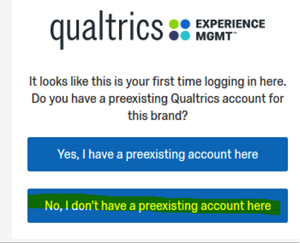
- You will then see the screen shown below.
a. If you do not have a preexisting Qualtrics account, continue to the next step.
b. If you have a preexisting Qualtrics account, skip to step 5.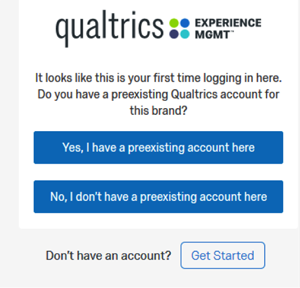
- No, I don't have a preexisting account here. Select the highlighted button as shown below.
Your account is now set up. Select Sign In as shown below.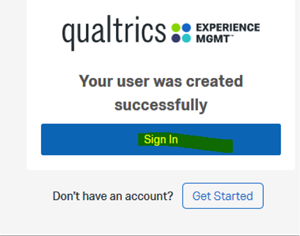
Select I accept. You are finished and can now create your first project. For training information, go to Survey Platform Overview.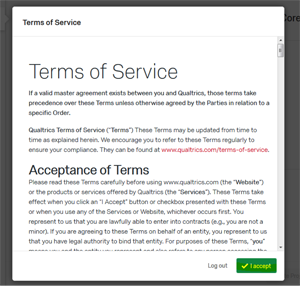
- Yes, I have a preexisting account here. Select the highlighted button as shown below.
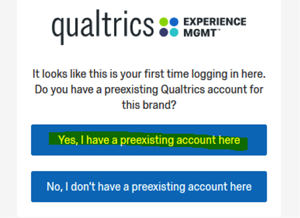
Enter your other account's log in information. Then select Verify account.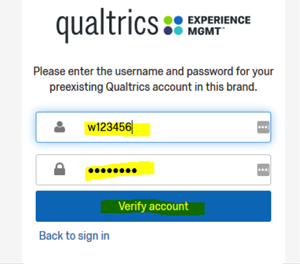
Select Sign In. For training information, go to Survey Platform Overview.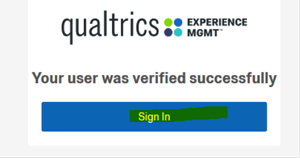
View more training information on how to use Qualtrics.
For additional questions regarding Qualtrics, please contact the Division Administrator assigned to your college:
- No College Affiliation: Help%20Desk
- College of Arts and Sciences: Jessie%20Vasser
- College of Business and Economic Development: Patrick%20Browning
- College of Nursing and Health Professions: Slater%20Graham
By setting up and using a Qualtrics account, I understand that Qualtrics is to be used only for university-related surveys and only for projects that have been approved by the Institutional Review Board at The University of Southern Mississippi where applicable. I also agree to abide by the Information Technology Acceptable Use Policy.