USM + Coursera Career Academy
Coursera Career Academy

Sign Up FAQ Canvas Integration Contact us
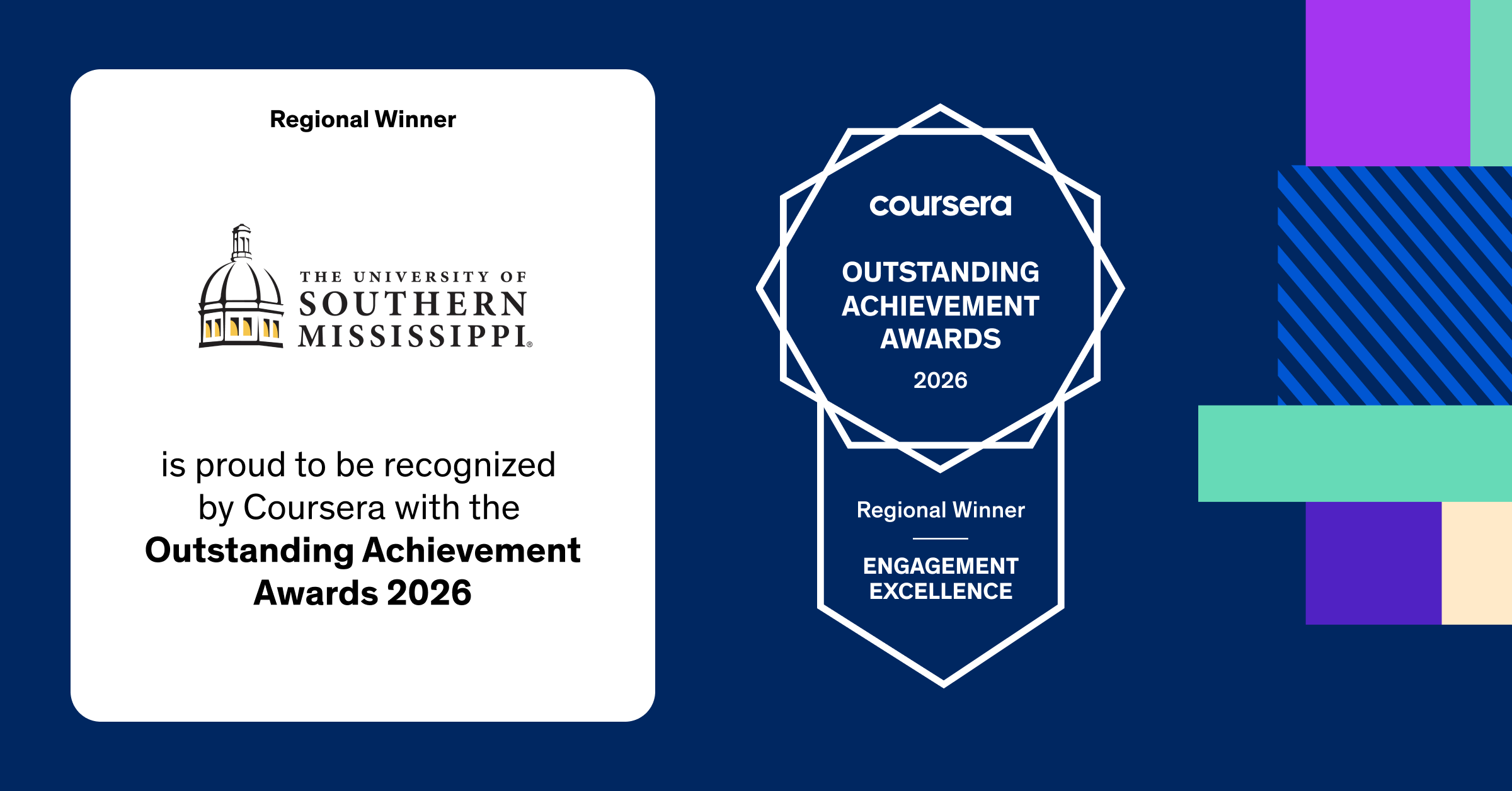
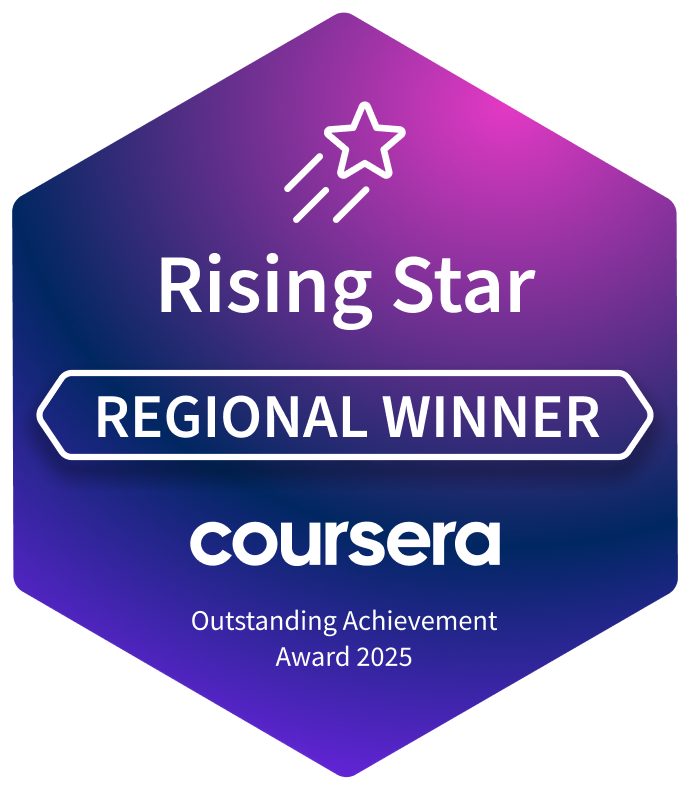
Southern Miss Receives Coursera Rising Star Outstanding Achievement Award
The Outstanding Achievement Awards celebrate organizations across industries and regions that are advancing skills development, enabling workforce transformation and delivering measurable impact through learning.
What Is Coursera Career Academy?

Coursera is an online learning platform that partners with companies like Google, Adobe, Microsoft, ADP, and many more to offer badges and certificates in the skills that today's employers are looking for. Through a series of asynchronous online courses, learners can earn certificates in subjects from program management to digital marketing and e-commerce, cybersecurity, and game design.
Career Academy courses are 100% free for Southern Miss students, faculty, and staff, and for members of our Alumni Association.
To browse the full catalog of Coursera Career Academy, click below.
What are micro-credentials?
Micro-credentials are certificates you can earn testifying to your proficiency in a certain area. They are a great way to show prospective employers the skills and knowledge you bring with you to a new position. In addition, companies often give preference to applicants who have already completed the certificates the company offers through Coursera.
|
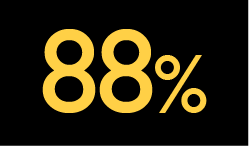
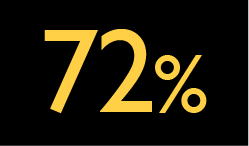
of employers believe a Professional Certificate helps a candidate stand out* |
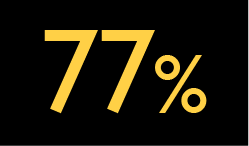
of employers say they are more likely to hire a candidate with a Professional Certificate* |
of employers are using or considering moving toward a skill-based hiring approach* |
What are the benefits?
 |
Earn valuable micro-credentials that you can add to your resume to demonstrate your skills. |
 |
Courses are online, so you can learn at your own pace on your own time. |
 |
Increase your employment opportunities by learning the skills that today's employers are looking for. |
How are the courses structured?
Course are composed of modules that can be completed entirely online. Modules may contain videos, readings, assignments, quizzes, discussion prompts, and peer reviews. Each module includes an estimate of the time each component will take to complete. Courses are asynchronous, so you can learn at your own pace. At the successful completion of a course, you will be awarded a certificate that can be added to your resume.
How do I sign up?
To sign up for Career Academy courses, you'll need to fill out and submit a short form. We'll add you to the list, and you should have access to any course within Career Academy within 48 hours.
Look for a welcome e-mail from Coursera to let you know when you can start learning! Once you receive the Coursera invitation, you’ll need to set up your account by logging in with your firstname.lastname@usm.edu email credentials. We have single-sign on access with Coursera, the same ones you use with SOAR and Canvas, but using your firstname.lastname@usm.edu email address as your login. Once logged in, you should see the USM logo on the top banner.
Featured Professional Certificates

Google AI
|
Microsoft Product Management
Launch your Product Manager career with Microsoft. Learn in-demand market research skills and become a job-ready Product Manager in less than 3 months. No degree or experience required.
|
|
|
|
HRCI Human Resource Associate
This program is uniquely designed to prepare aspiring Human Resource professionals. Through engaging videos, interactive activities, assessments, and peer-reviewed projects, you can enhance your professional expertise and gain a solid understanding of the fundamentals in this field. Learn more |
IBM AI Product Manager |
Johns Hopkins Medical Office Manager
|
Amazon Junior Software Developer |
IBM Data Analyst |
Epic Games Game Design
|
 The Google AI Professional Certificate takes you beyond foundational understanding
to becoming AI-fluent. Designed by Google experts, this program gets you hands-on
experience building the AI skills that employers are looking for.
The Google AI Professional Certificate takes you beyond foundational understanding
to becoming AI-fluent. Designed by Google experts, this program gets you hands-on
experience building the AI skills that employers are looking for.
 Adobe Marketing Specialist
 Become a skilled medical office manager. Gain essential skills to manage healthcare
practices in 6 months or less. No prior experience or degree needed to start your
career as a medical office manager.
Become a skilled medical office manager. Gain essential skills to manage healthcare
practices in 6 months or less. No prior experience or degree needed to start your
career as a medical office manager.
 Learn to create worlds that captivate and inspire while building in-demand skills
with the foundations for game design with Unreal Engine. No prior experience required.
Learn to create worlds that captivate and inspire while building in-demand skills
with the foundations for game design with Unreal Engine. No prior experience required.Frequently Asked Questions
STUDENTS
The University of Southern Mississippi’s Coursera Career Academy gives eligible students access to online, career-focused learning through Coursera. Through Career Academy, learners can explore entry-level career paths and enroll in selected Professional Certificates designed by leading companies.
These certificate programs help learners build job-relevant skills through a series of courses and hands-on activities. Many programs are designed to support career exploration, skill development, and portfolio building in fields such as business, technology, data, marketing, project management, and more.
Yes. If you access Coursera through the University of Southern Mississippi’s Career Academy or university-sponsored learning program, eligible learners can enroll in available Career Academy content at no additional cost.
To make sure you are enrolling for free, you should access courses through the university’s Career Academy page or learning program rather than browsing Coursera separately.
Yes, it is important to enroll through the University of Southern Mississippi’s Career Academy learning program or through Canvas if you professor is using Coursera in their course because access this way is covered by the university.
USM’s Career Academy page is designed to help you discover certificates by career interest and see curated options available through the university program. If you enroll outside the university-sponsored catalog, you may not receive free access to that content.
After you complete all required courses and assessments in a Professional Certificate, you will earn a shareable digital certificate from Coursera.
You can use your certificate to:
- Add it to your resume
- Share it on LinkedIn
- Include it in job applications
- Highlight your skills in internship or career conversations
Completing a certificate can also help you identify next learning steps if you want to continue building skills in a related field.
Once you’re logged in, check for the USM logo at the top banner - that’s how you’ll know you’re in the right place. If you find yourself in a space where you’re asked to pay for a course, you’ve likely navigated away from the USM Coursera Career Academy content.
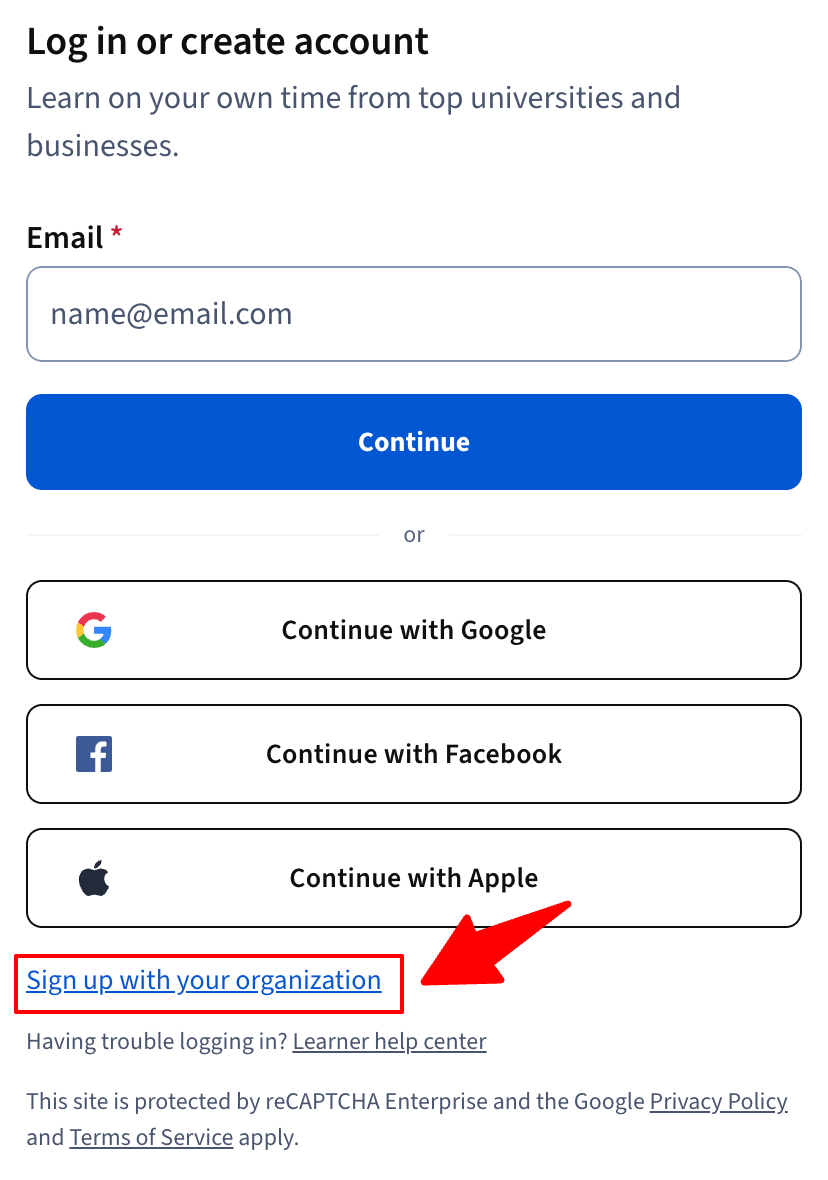
When returning to USM Coursera, make sure you log in with the “University of Southern Mississippi” or “sign in with your organization." Do not sign back into the general Coursera website.
FACULTY
You can enroll students automatically by using the Coursera LTI integration with Canvas. When a learner launches Coursera through the Canvas for the first time, Coursera creates an account using the email address provided by Canvas during the integration flow. If the learner has an existing Coursera account that uses the same Canvas email address, the enrollment is linked to their existing account. No new Coursera account will be created.
If you are using Coursera outside of the LTI integration with Canvas, you can enroll your students directly from your learning program in Coursera. To create a learning program for your class, complete the Coursera request form.
A Learning Program is your custom space (like a Canvas shell) in Coursera where you manage both the who (learners) and the what (assigned content) for your course or group.
At USM, a Learning Program lets you:
- Invite learners – Add student emails or enable self-enrollment with “usm.edu”
- Assign content – Choose courses, modules, guided projects, or Professional Certificates
- Set parameters – Control start/end dates, credit/no-credit, and auto-enroll
- Track progress – View dashboards, export gradebooks, and monitor completion rate
Why it matters: A Learning Program centralizes your class’s Coursera experience—making it easier to deliver content, track learning, and connect coursework to industry-recognized skills.
You can integrate Coursera content and industry credentials into your classes by using the Coursera LTI integration with Canvas. You can link an entire Coursera professional certificate, course, module, assignment, or video into your Canvas courses using the integration.
Please refer to the following resources on how you can get started with the integration.
- Step-by-step guide on how to link different types of Coursera content
- Video tutorials on how to link different types of Coursera content
- Resource article with instructions, an FAQ, and troubleshooting guide.
If you have technical questions about the Coursera LTI integration please go to the Admin Help Center, log into Coursera if you are not already logged in, and click “Contact Us” in the upper right-hand corner to contact Coursera’s Support Team. When filling out the form, please cc Joanne.TranFREEMississippi & tweston@coursera.org. Please include a detailed description of what support you need and screenshots if applicable.
If you or your students have general technical questions about the Coursera platform, please contact Coursera’s Learner Support Team. Live chat is available if you or your student is logged into Coursera on the Learner Help Center. If you are unable to log in, you can use this contact form. Please tell Coursera’s Support Team that you have an university-sponsored account through The University of Southern Mississippi, and share a detailed description of your issue.
Canvas Integration Resources
Coursera Video Tutorials

Short video tutorials on selecting and embedding Coursera content into Canvas courses, including walkthroughs of grade sync options.
Step-by-Step Guide
View a step-by-step Canvas guide for faculty on embedding content.
Online Office Hours
Coursera’s Customer Success team hosts online Curriculum Integration Office Hours Wednesdays 11am-12pm Central time throughout the summer for faculty and instructional staff. Register here.
Industry Test Prep
Did you know? Coursera also offers industry test-prep exams and materials for students!
Contact Us
- For sign-up questions, please contact russ.willisFREEMississippi.
- Faculty interested in integrating Coursera into their Canvas courses, please contact joanne.tranFREEMississippi.
- Visit the Coursera Learning Help Center for Coursera-specific questions.